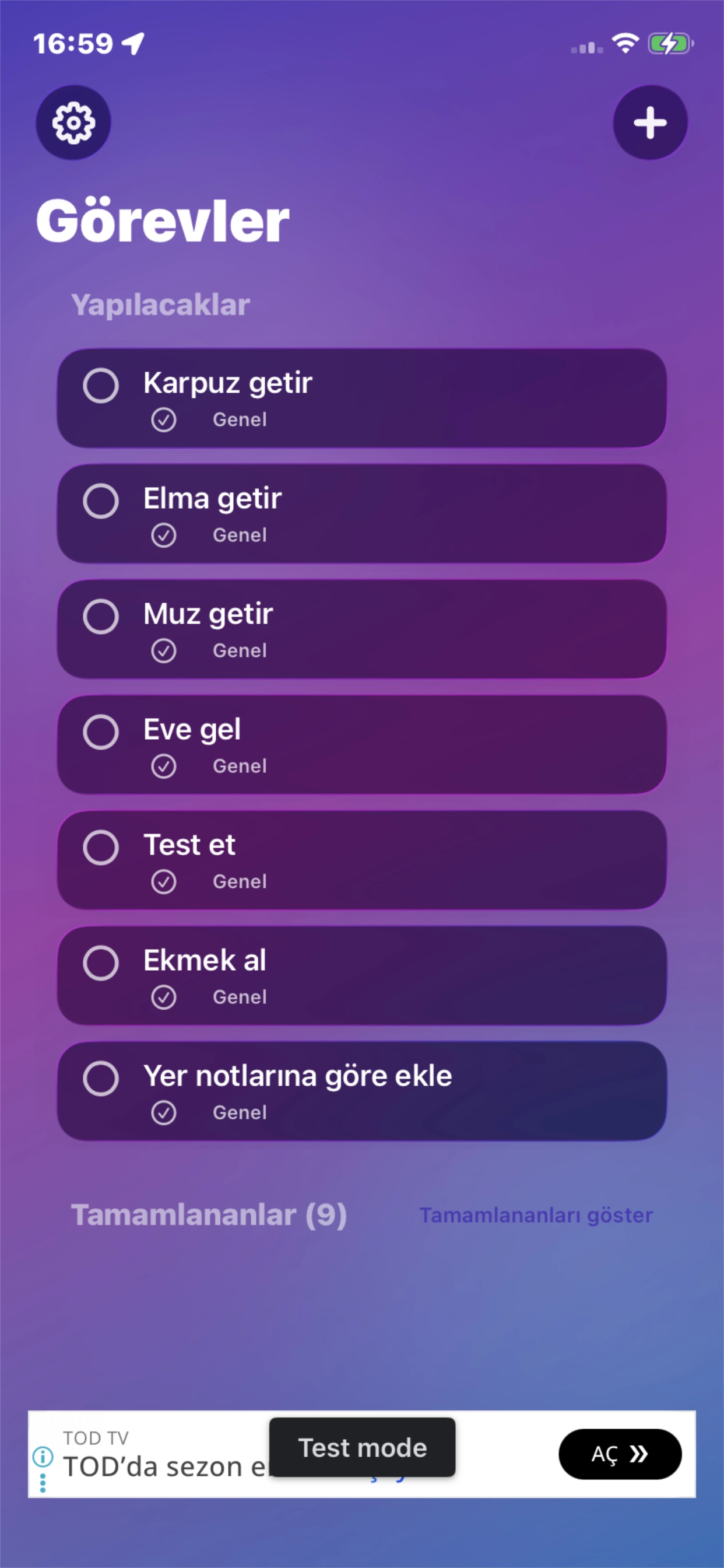
Screen 01
Task Dashboard
The main screen lists every task with a checkbox, category tag, and completion count, so the day's to-dos stay glanceable at a single view.
Place-Based Reminders
A to-do list that reminds you about a task when you arrive at, or leave, a place you chose on a map — with categories, quick capture, and Apple Watch support built in.
App Screens
The screenshots below follow the app flow in order, from the task dashboard to categorization, location-based reminders, and the map picker.
Screen 01
The main screen lists every task with a checkbox, category tag, and completion count, so the day's to-dos stay glanceable at a single view.
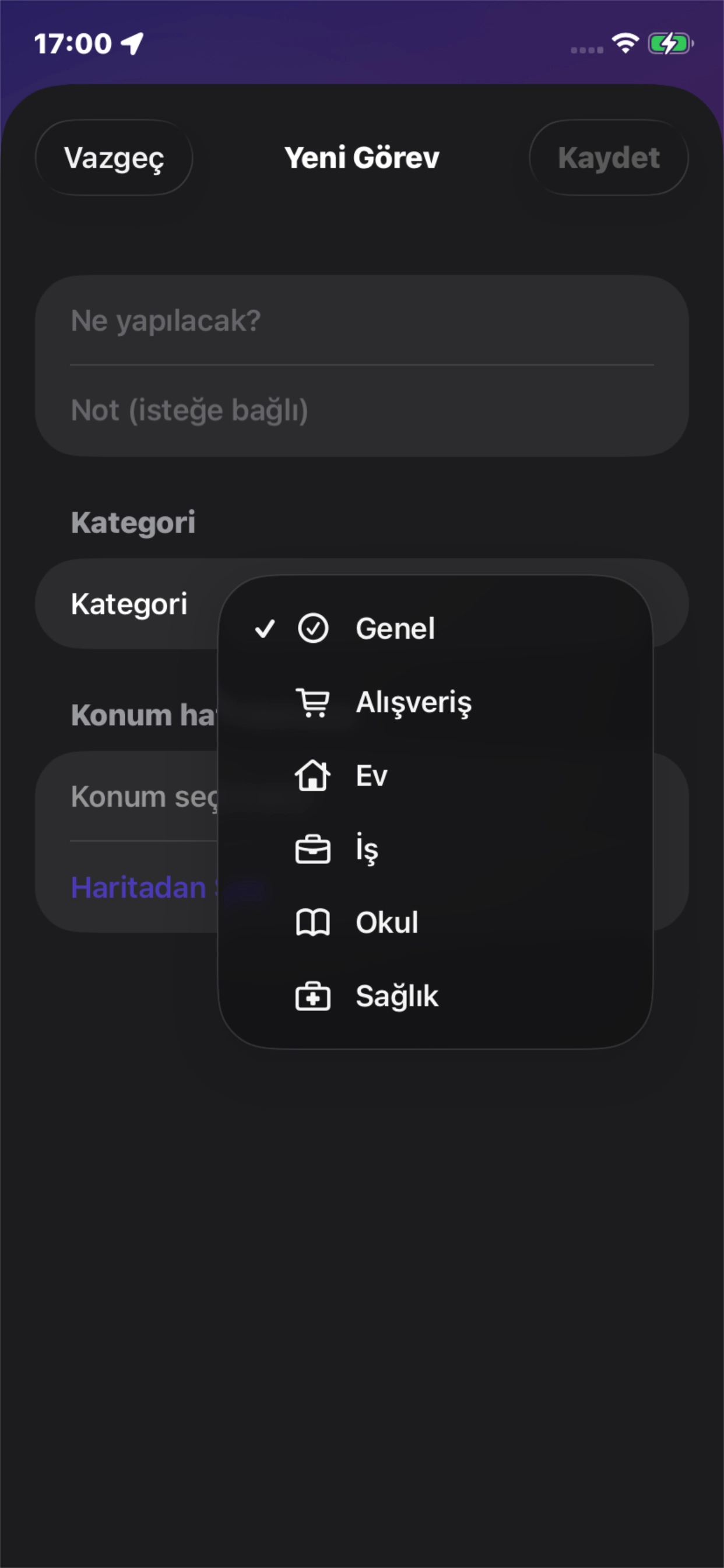
Screen 02
Each task can be filed under General, Shopping, Home, Work, School, or Health, making longer lists easier to scan and organize.
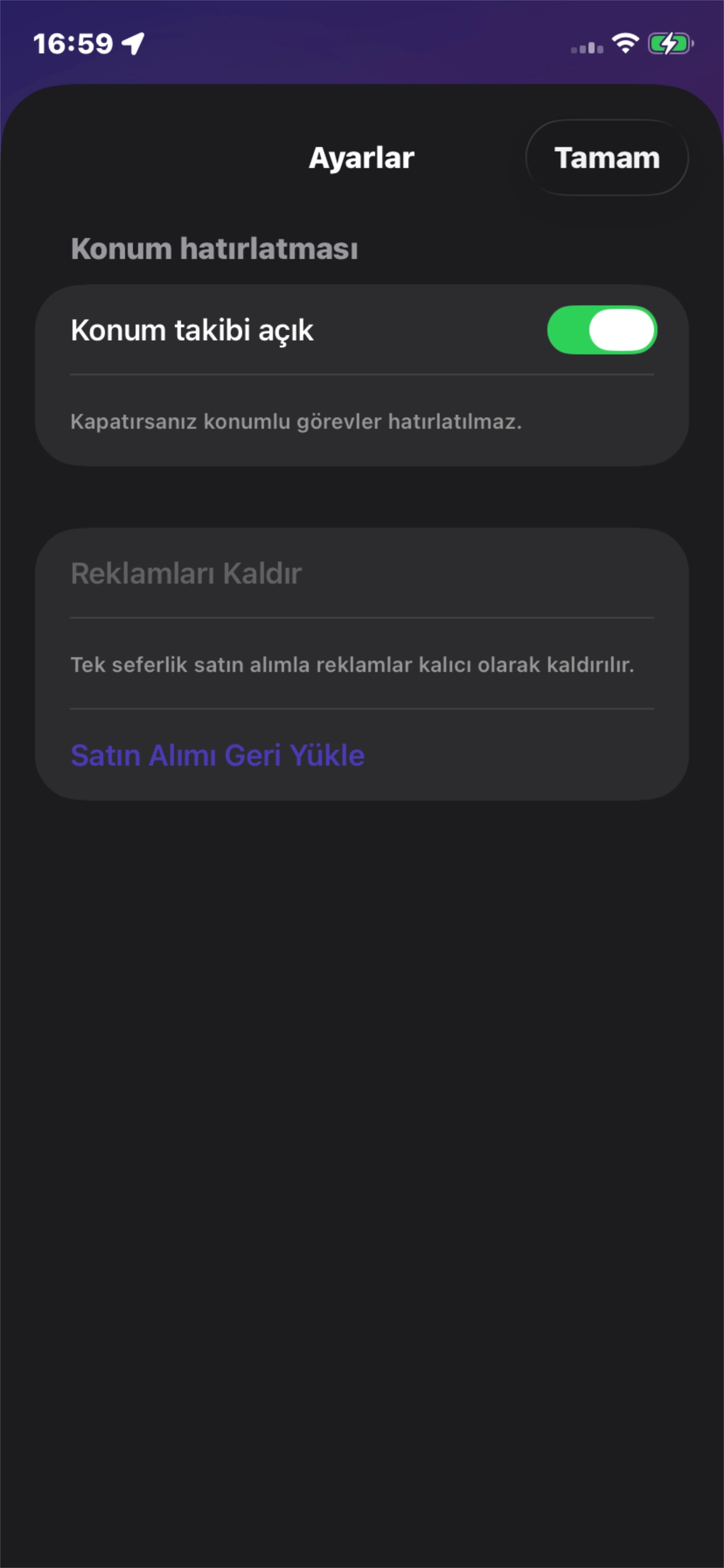
Screen 03
Location tracking can be turned on per task, with a reminder radius and repeat setting to control when the alert fires.
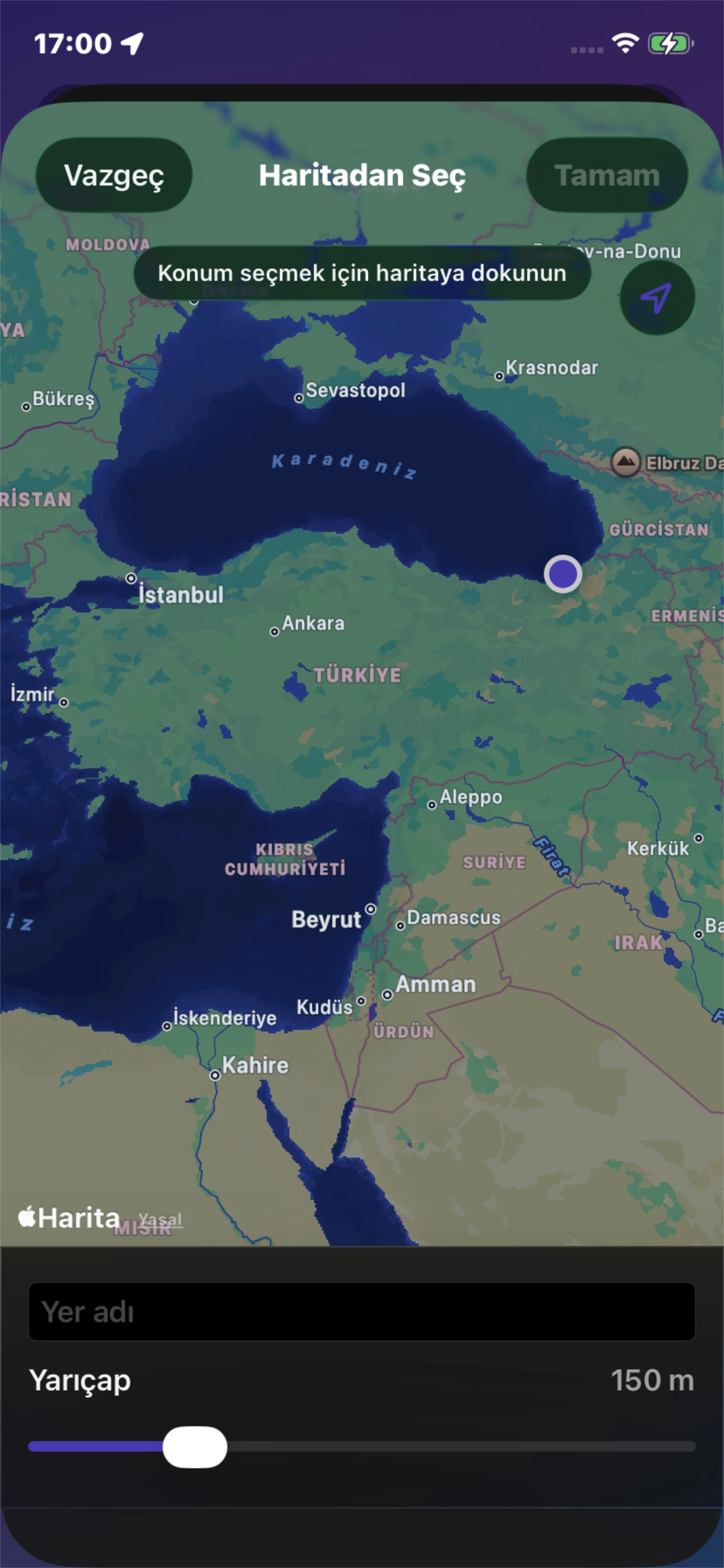
Screen 04
A map interface lets you drop a pin for the reminder zone and adjust its radius with a slider before confirming the location.
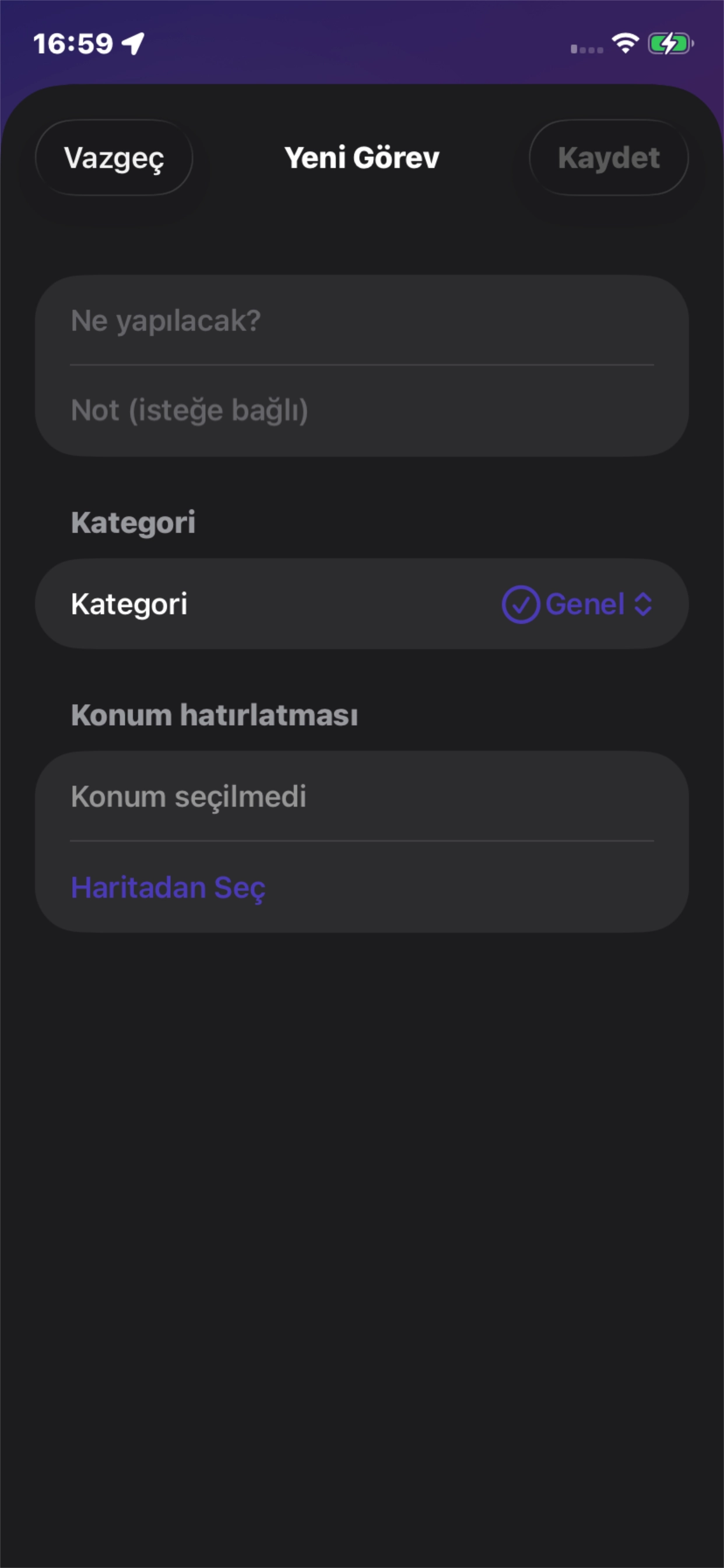
Screen 05
Adding a task takes a title, an optional note, a category, and an optional location reminder — all from one compact form.
Apple Watch Screens
These screens show how to-do&location keeps tasks reachable on Apple Watch, from dictated capture to location tracking.
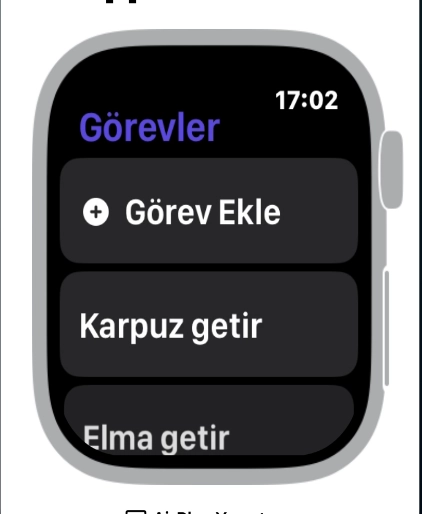
Watch 01
The Apple Watch app mirrors the task list with a quick Add Task button, so items can be checked off directly from the wrist.
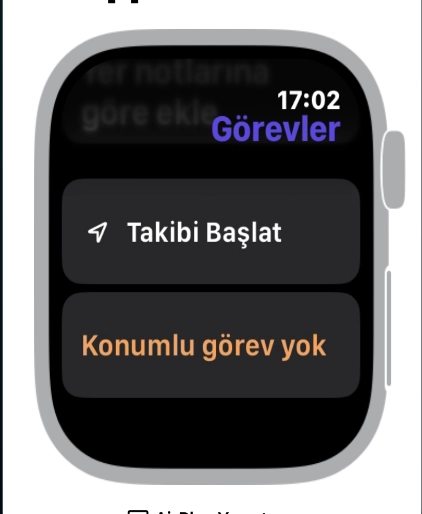
Watch 02
A dedicated screen starts location tracking for tasks that have a place attached, or shows that none are currently set.
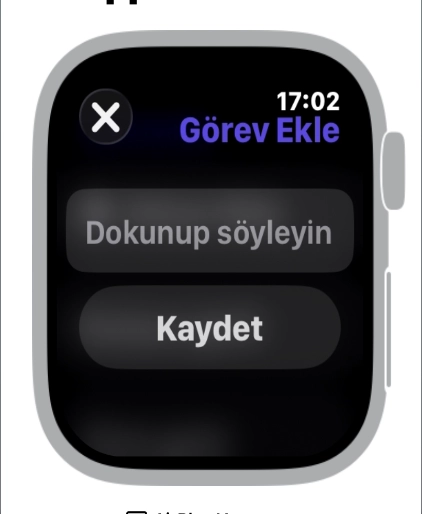
Watch 03
Tasks can be added on the watch by tapping to dictate, then saving — no need to reach for the phone.
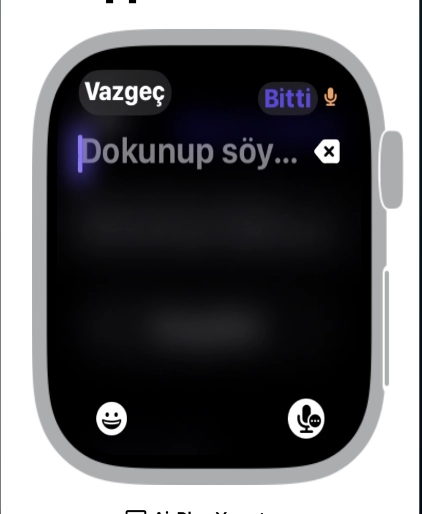
Watch 04
Dictated text appears live as you speak, with emoji and voice input available before the task is saved.
Privacy Policy
Last updated: July 31, 2026
to-do&location is a to-do list app that can remind you about a task when you arrive at (or leave) a place you chose on a map. It runs on iPhone and Apple Watch.
We do not operate a server for this app. The app has no account, no sign-in, and no analytics SDK. Your tasks and places never leave your own devices, except through the third-party services listed below, which we do not control.
The app uses your device location to detect when you enter or leave the circular zones you attach to your tasks, so it can show the reminder you configured. Background location access (“Always”) is required for this to work while the app is closed.
All zone entry and exit detection is performed on your device. Your location is not linked to an identity, is not used for advertising or tracking, and your location history is never uploaded to us or to any server. If you deny location access, the rest of the app still works — only place-based reminders stop.
Task titles, notes, categories and the places you attach to them are stored locally on your device. When you use both iPhone and Apple Watch, this data is synchronized directly between your own two devices over Apple’s WatchConnectivity link. It does not pass through us.
The free version of the app displays a banner ad supplied by Google AdMob. To serve ads, Google may collect and process device information, including advertising identifiers, approximate location derived from your IP address, and ad interaction data. This processing is governed by Google’s own privacy policy, not ours: How Google uses information from sites or apps that use our services.
The app does not share your tasks or your precise GPS location with Google or any other advertiser. You can limit ad tracking at any time in Settings → Privacy & Security → Tracking on your device.
If you purchase the ad removal option, the ad banner is removed and the advertising SDK stops requesting ads.
Ad removal is a one-time in-app purchase handled entirely by Apple’s App Store. Apple processes the payment; we never see or store your payment details. The app only asks Apple whether the purchase is active, so it knows whether to hide the ads.
Reminders are delivered as local notifications generated on your device. No push server is involved and no notification content is transmitted anywhere.
If you add a task using Siri or the Shortcuts app, the text you dictate is processed by Apple’s speech services under Apple’s privacy policy, then handed to the app and saved locally like any other task.
The app is not directed at children under 13 and does not knowingly collect information from them.
Deleting a task removes it from your device. Deleting the app removes all locally stored data, including your tasks, places and settings. Because we hold no copy of your data, there is nothing for us to delete on our side.
If this policy changes, the updated version will be published on this page with a new “Last updated” date.
Questions about this policy: mail@alemdar.tech