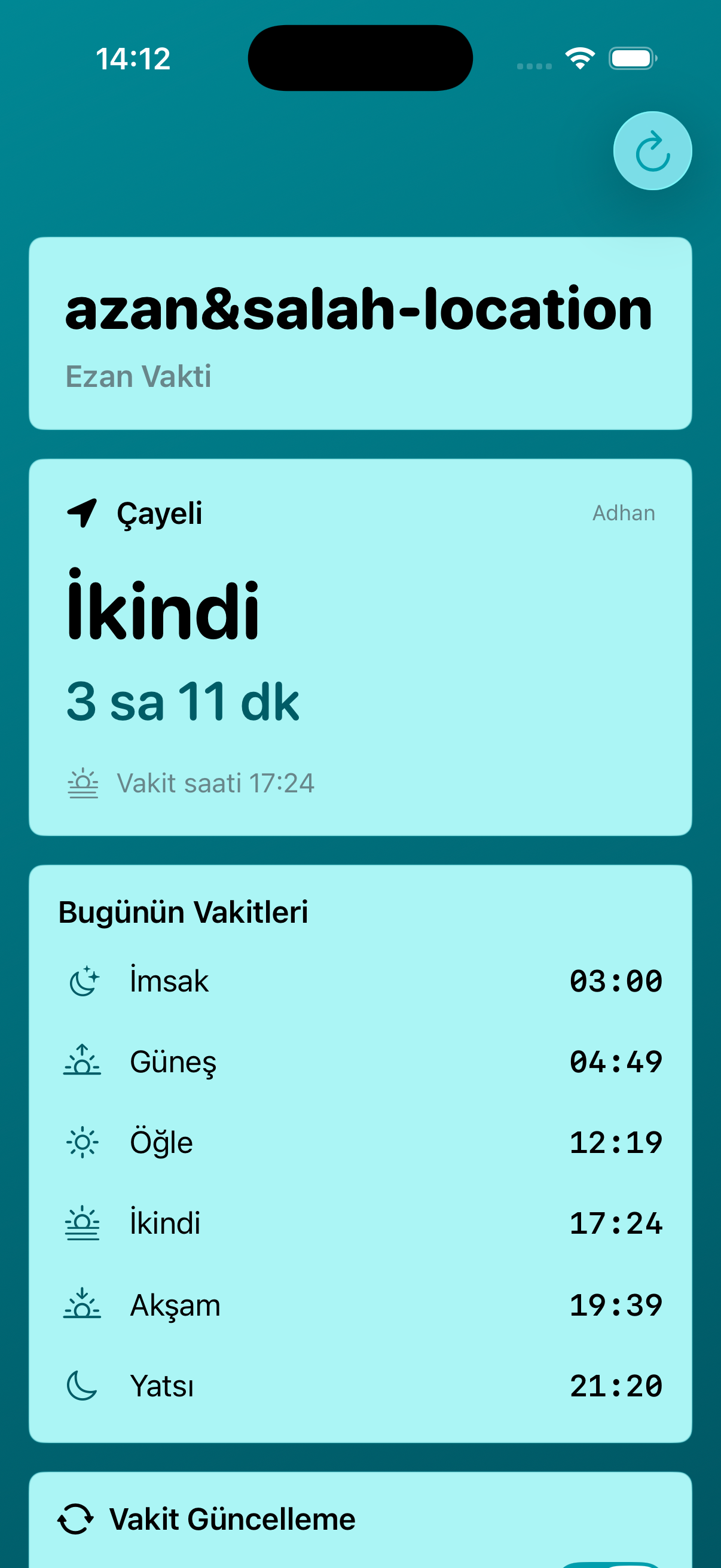
Screen 01
Prayer Times Dashboard
The main screen shows the selected city, the next prayer, remaining time, and the full daily prayer schedule in one clear view.
Prayer Time Companion
Follow prayer times by location, receive timely reminders, use silent mode location points, and track the next prayer through widgets, Live Activities, and Apple Watch.

App Screens
The screenshots below follow the app flow in order, from the main dashboard to location controls, calculation settings, subscriptions, and home screen widgets.
Screen 01
The main screen shows the selected city, the next prayer, remaining time, and the full daily prayer schedule in one clear view.
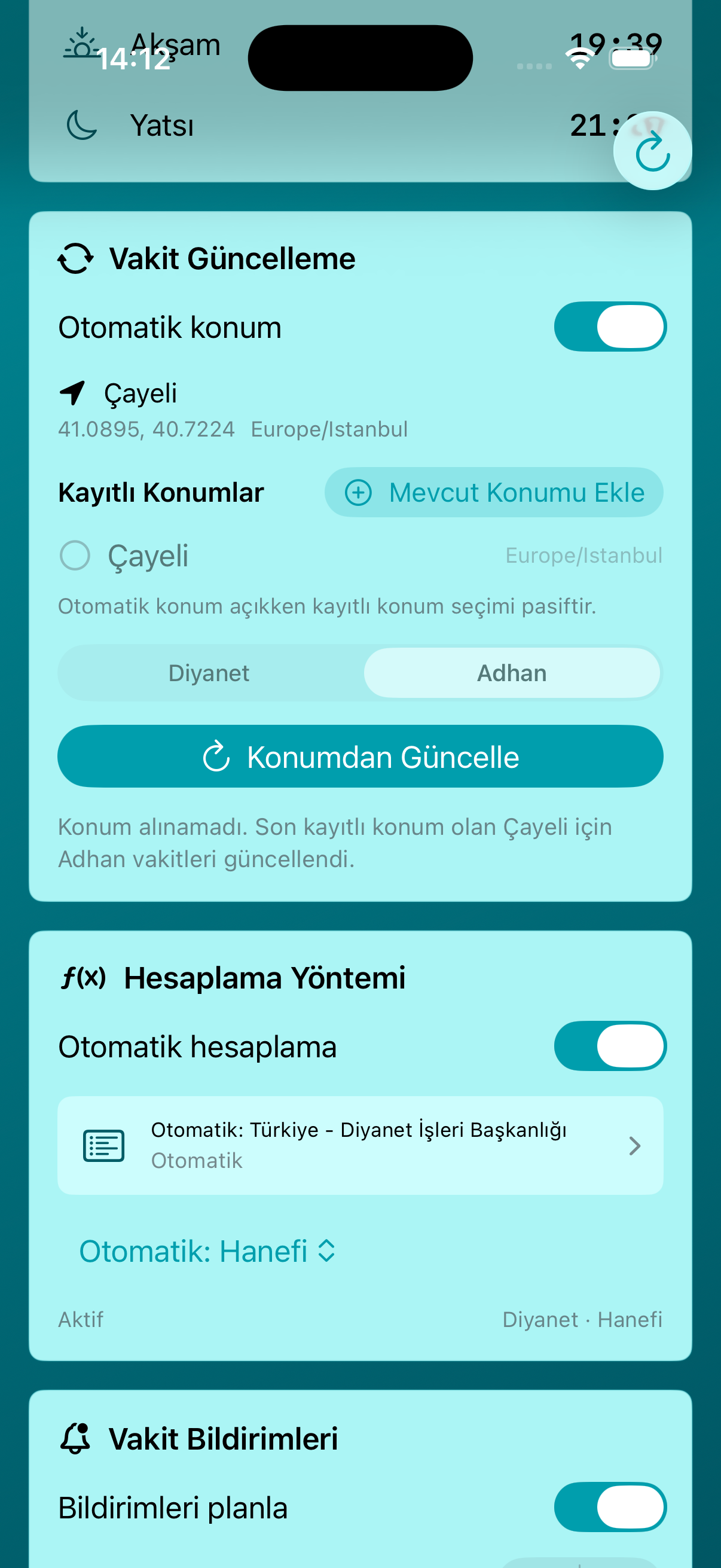
Screen 02
Users can refresh prayer times from their current location, manage saved locations, and choose between supported prayer time sources.
Screen 03
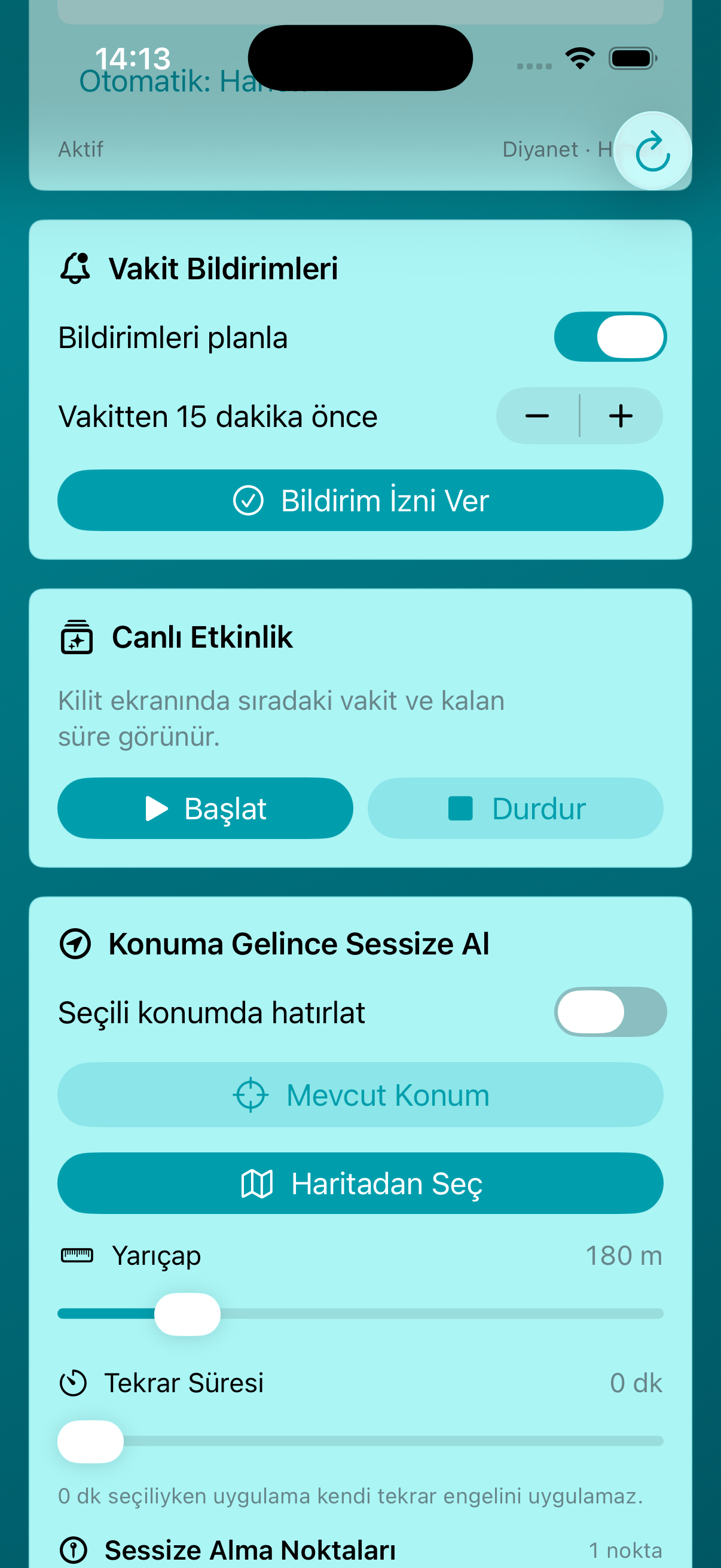
The app supports scheduled prayer notifications, Live Activity controls, and location-based silent mode reminders.
Screen 04
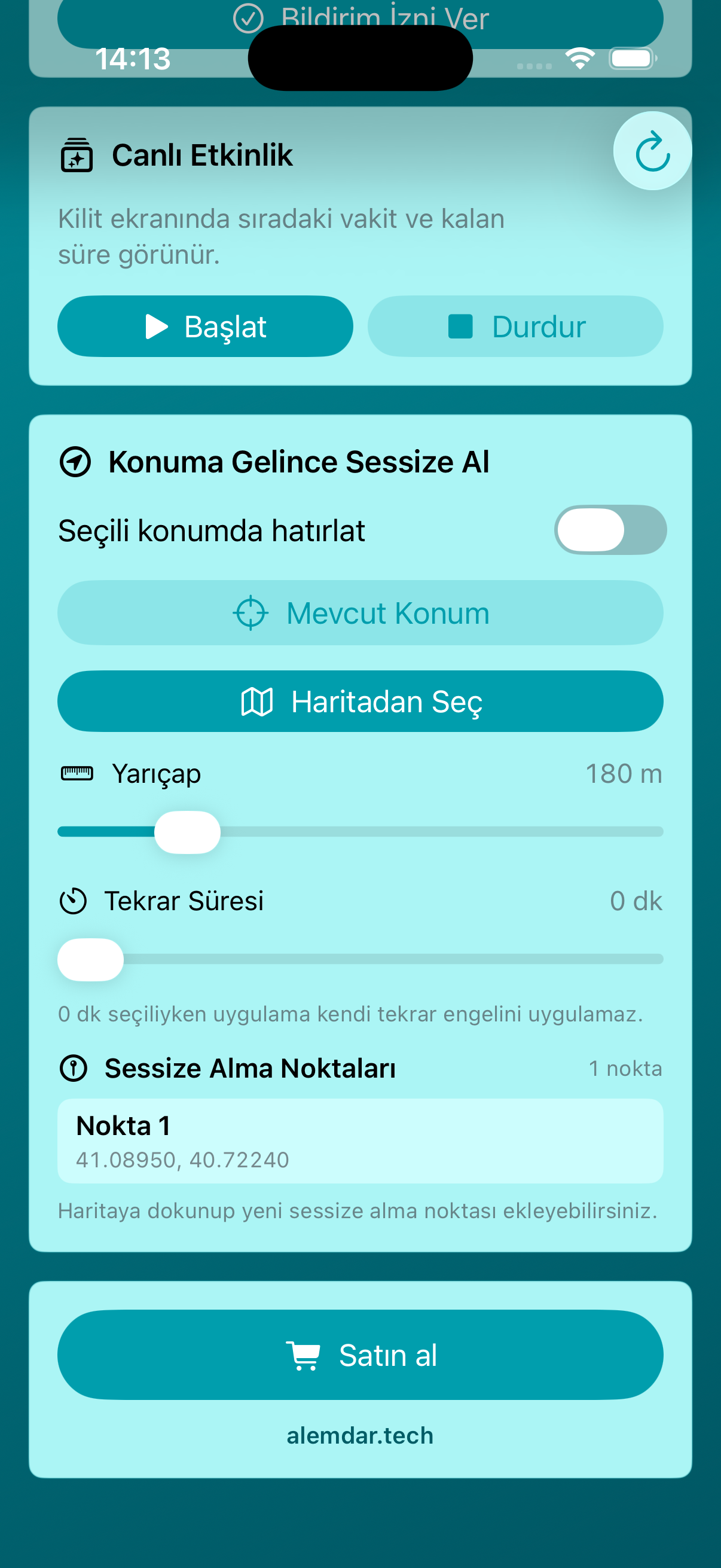
Users can define silent mode points, adjust the radius, set repeat timing, and manage location reminders for specific places.
Screen 05
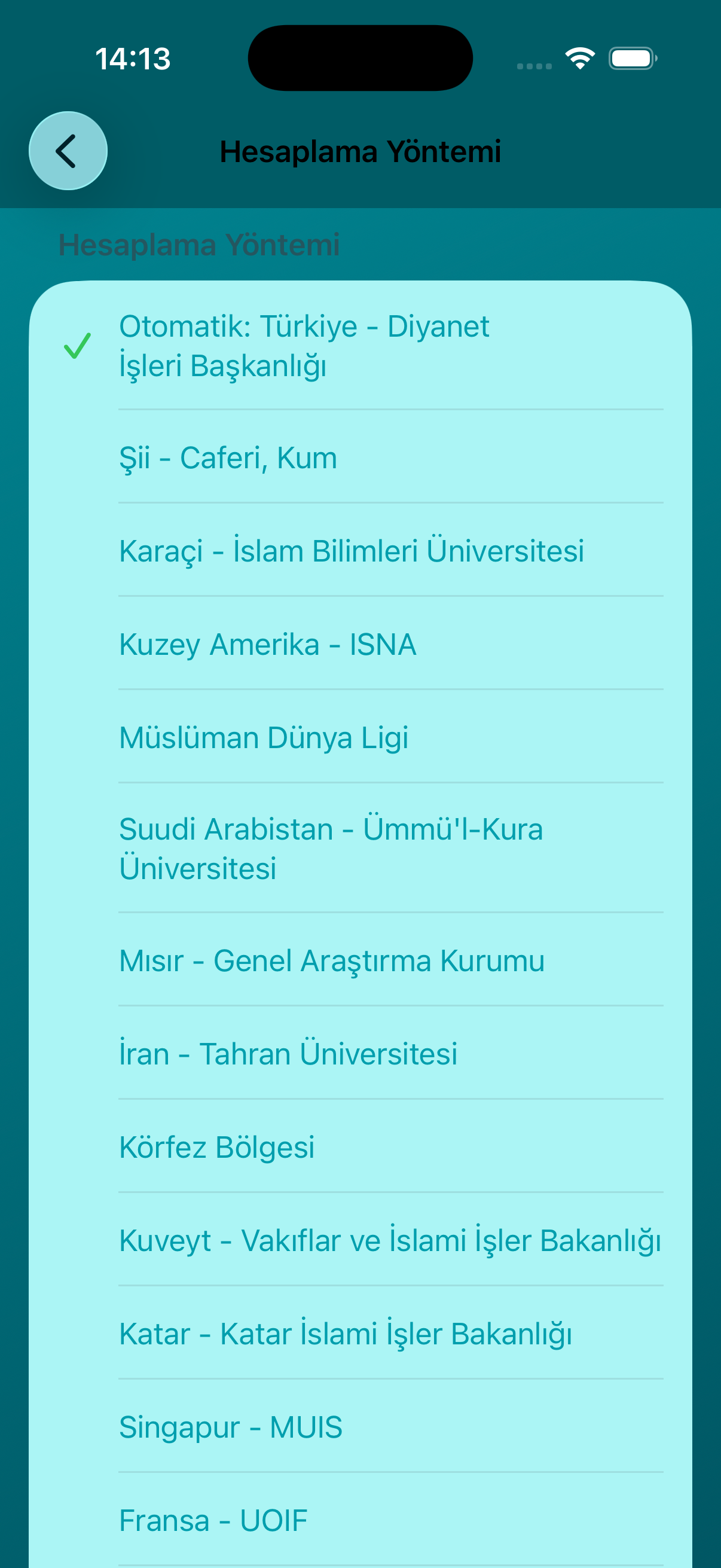
A dedicated method screen lets users choose the prayer time calculation source that best matches their region or preference.
Screen 06
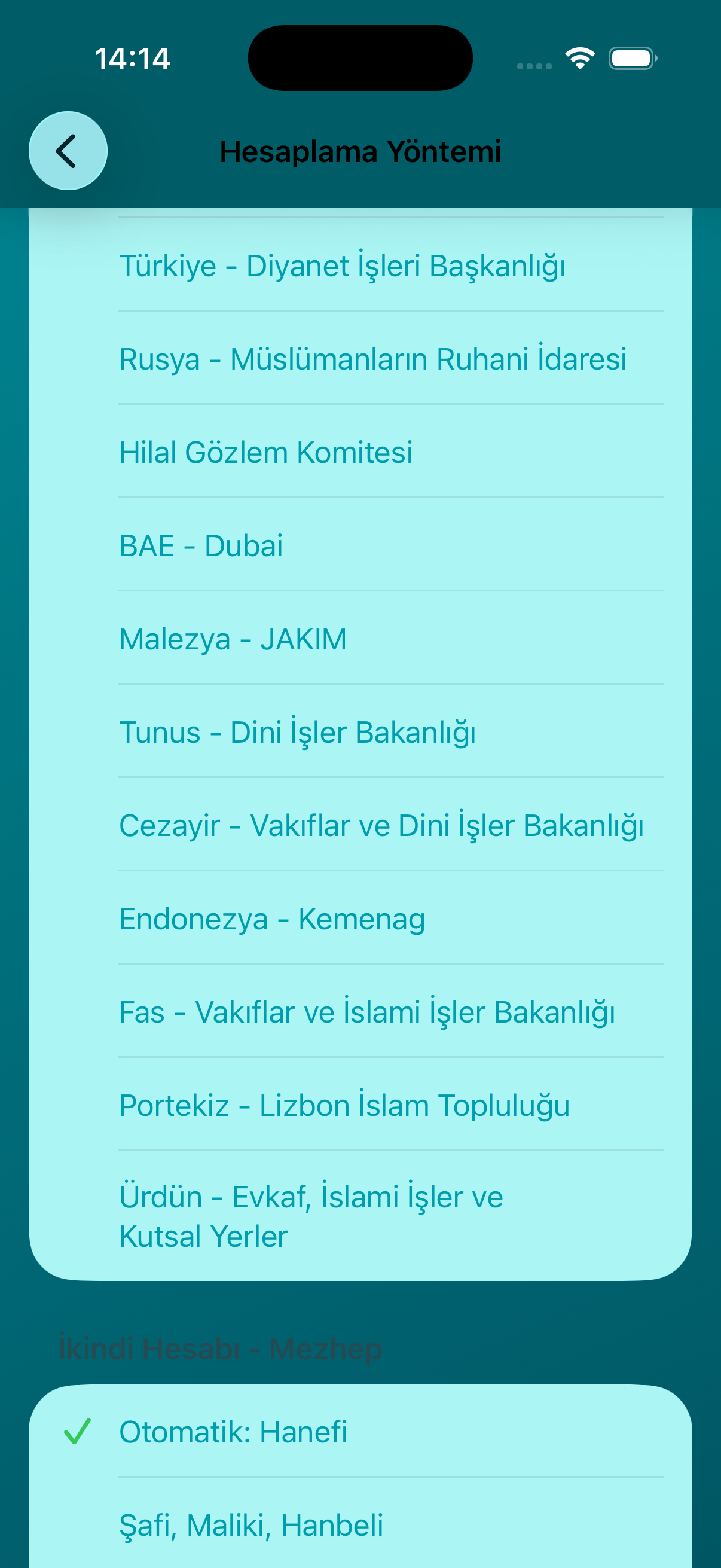
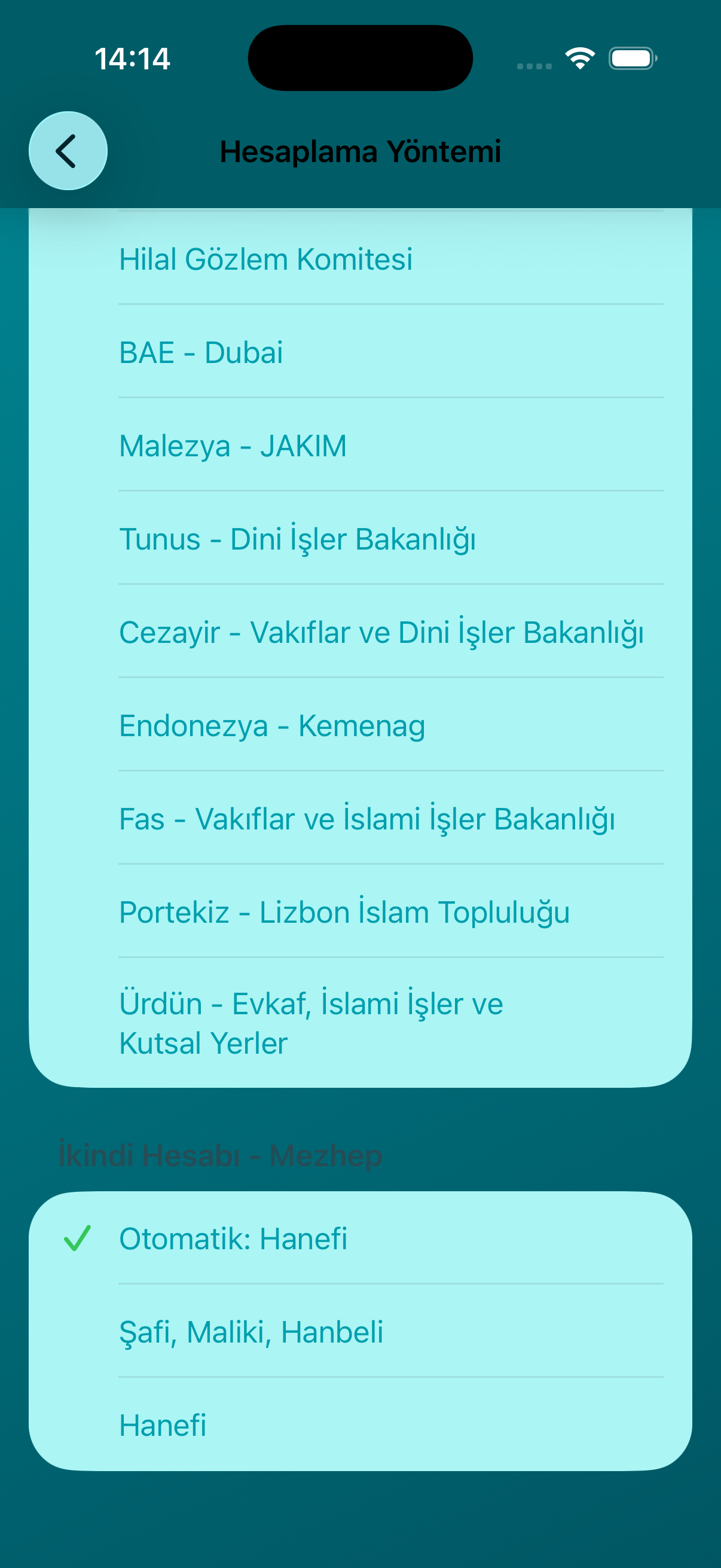
The calculation list includes regional institutions and global methods, giving users flexible control over prayer time results.
Screen 07
The Asr calculation can be adjusted with automatic selection, Shafi/Maliki/Hanbali, or Hanafi options.
Screen 08
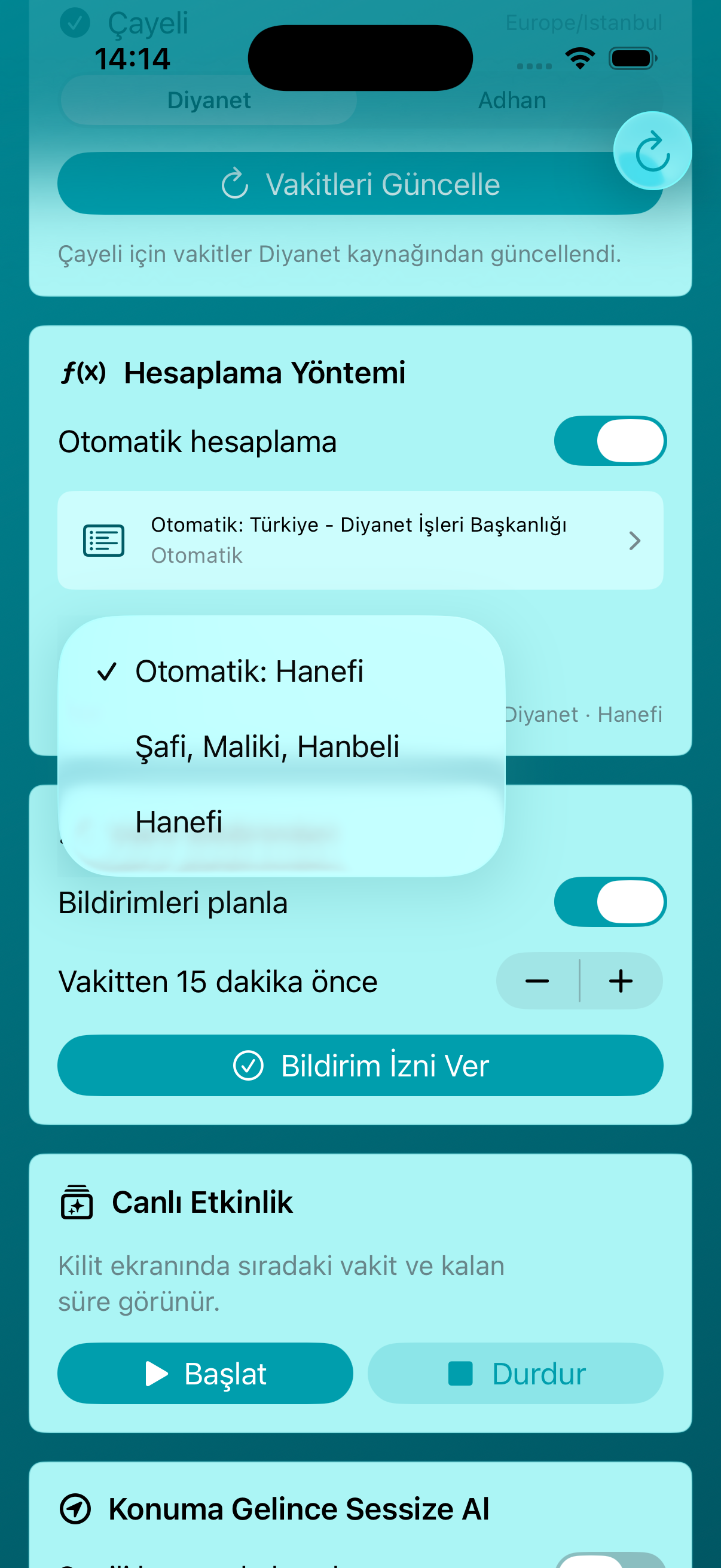
An inline picker makes it easy to switch the Asr calculation preference without leaving the settings flow.
Screen 09
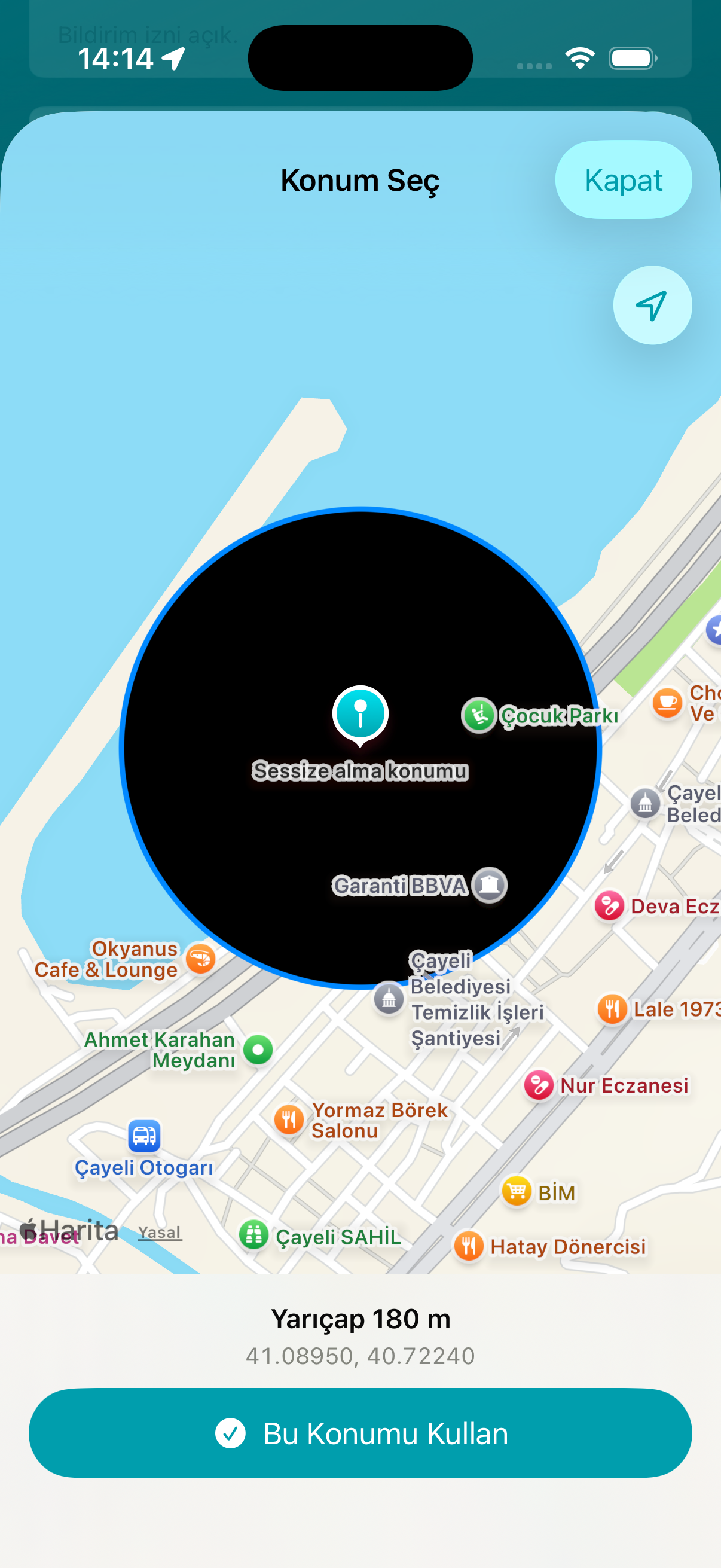
The location picker uses a map interface so users can choose a silent mode point and confirm the exact reminder radius.
Screen 10
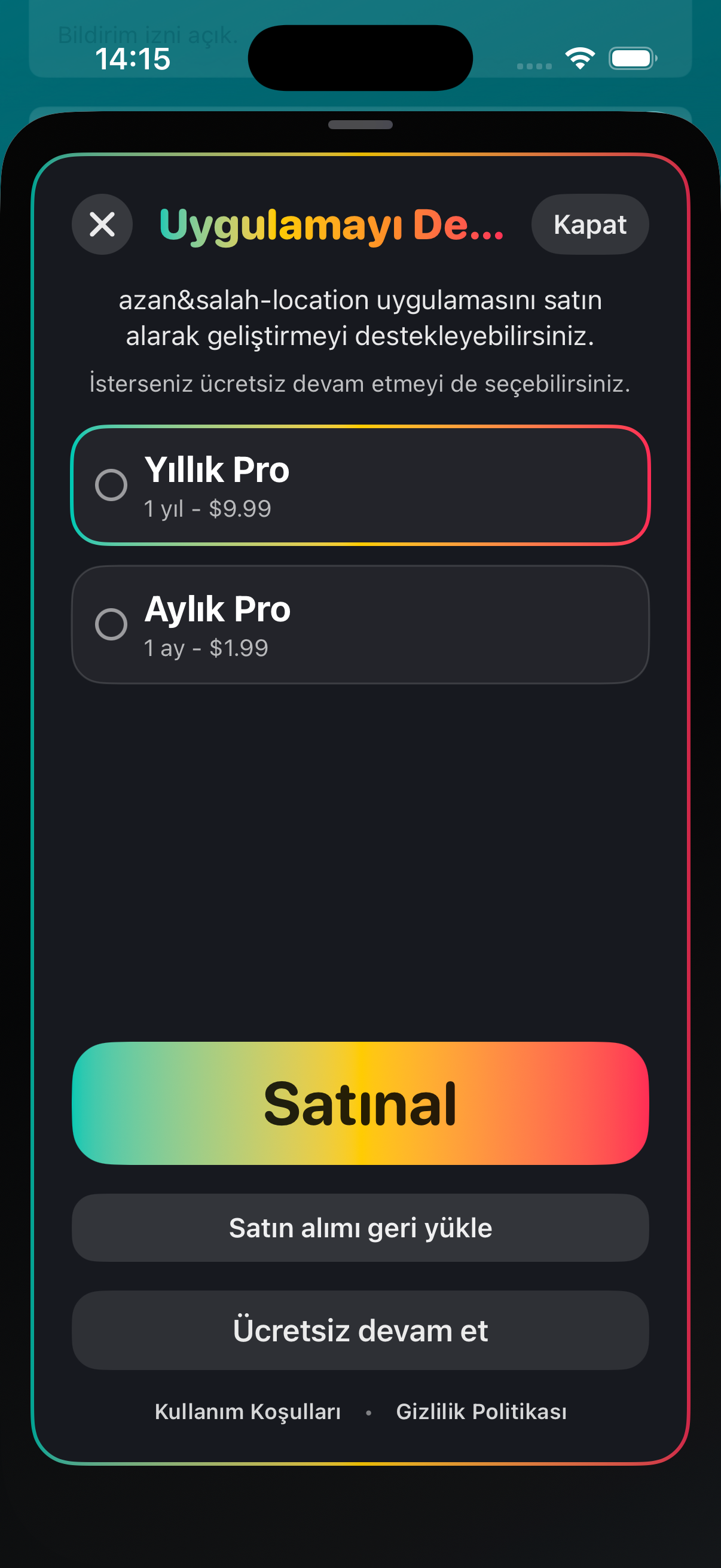
The Pro screen presents yearly and monthly subscription options, restore purchase, and continue-free actions in one place.
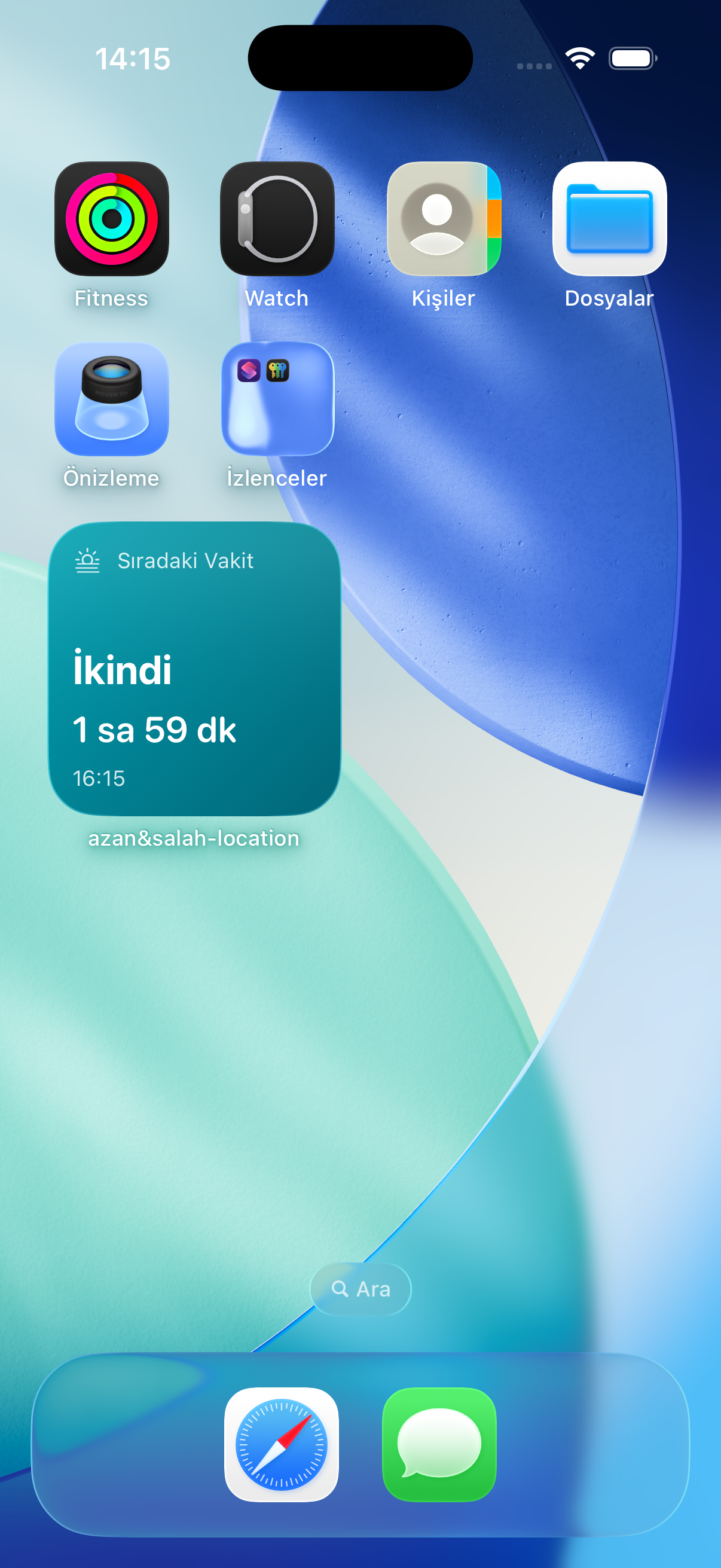
Screen 11
A compact widget displays the next prayer and remaining time directly on the iPhone home screen.
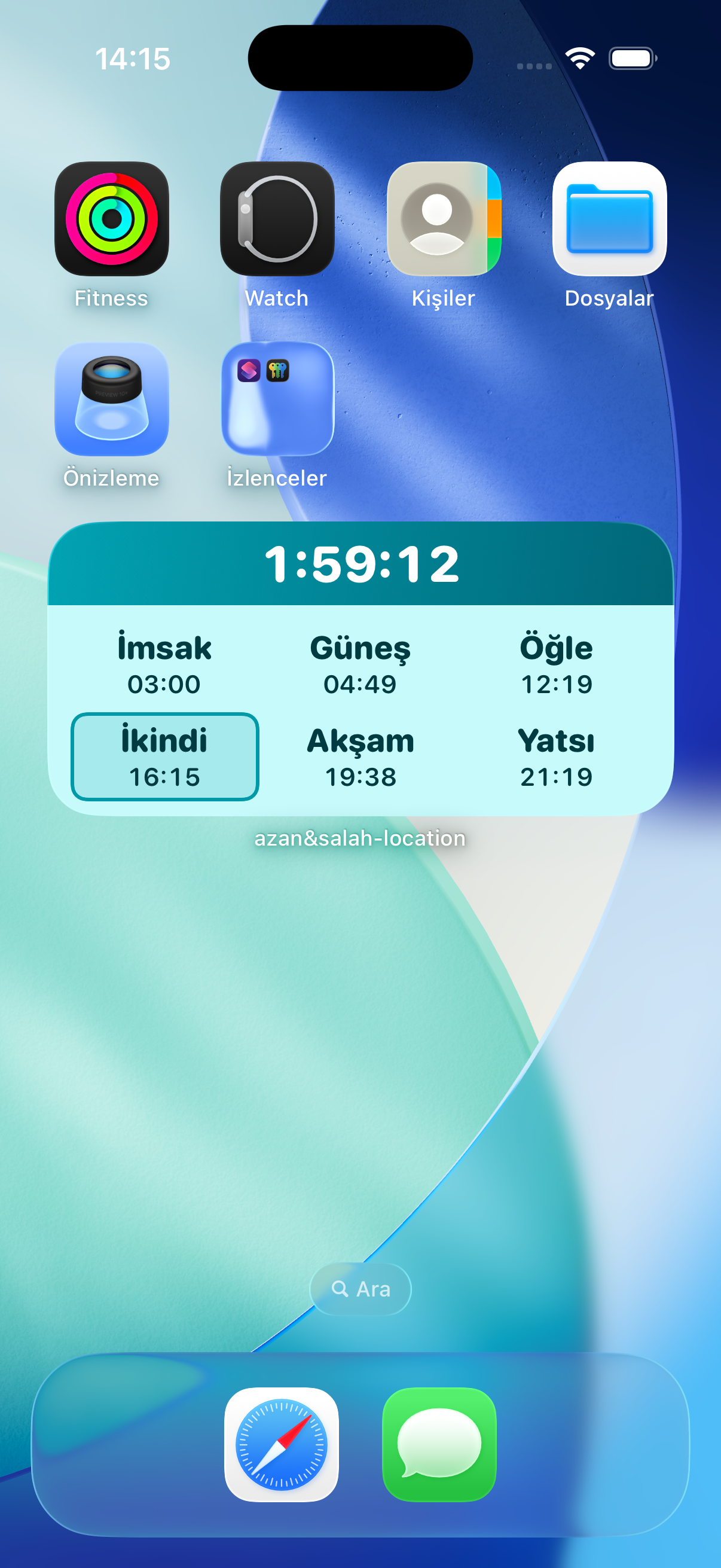
Screen 12
The medium widget shows all daily prayer times with a highlighted current or upcoming prayer.
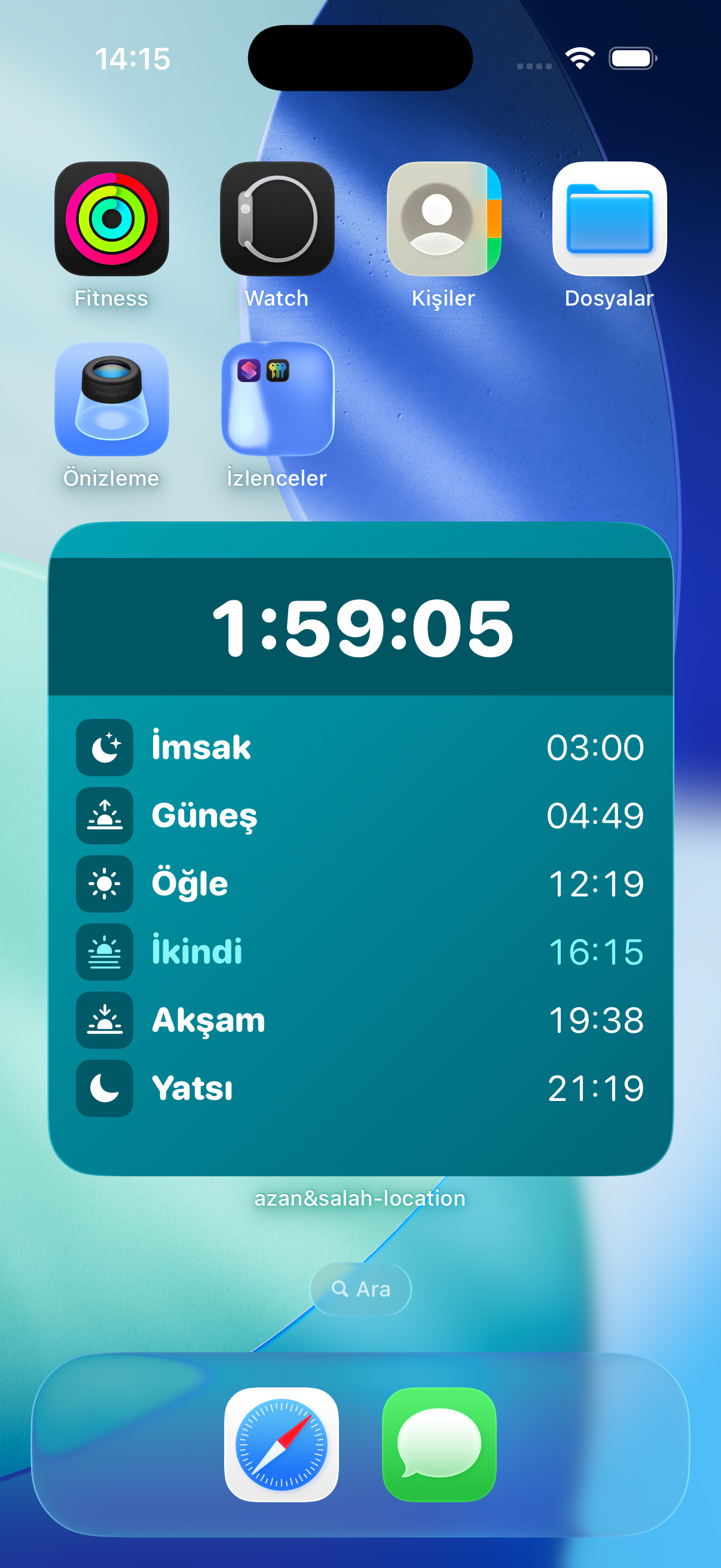
Screen 13
The large widget provides a countdown and a detailed daily prayer list for fast glanceable tracking.
Apple Watch Screens
These screens show how azan&salah-location keeps prayer times readable on the wrist with countdowns, next prayer cards, and compact daily schedules.
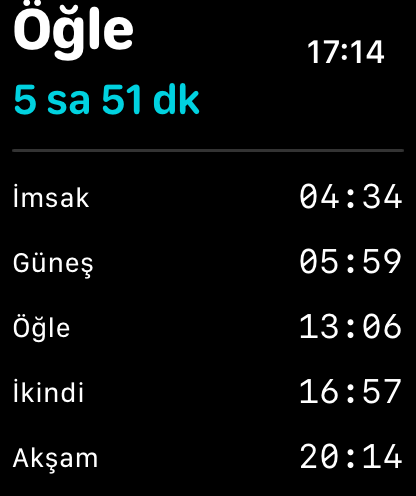
Watch 01
A compact Apple Watch view shows the current prayer, remaining time, and daily prayer schedule.
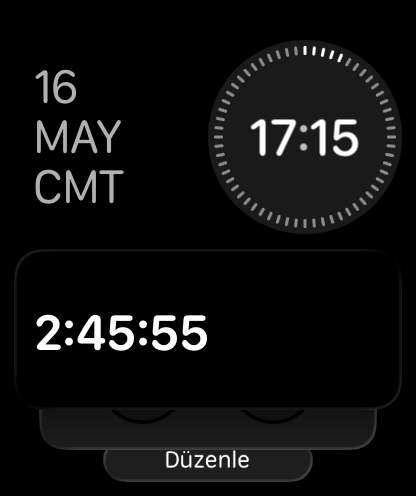
Watch 02
The watch experience can surface a quick countdown view for fast glanceable tracking.
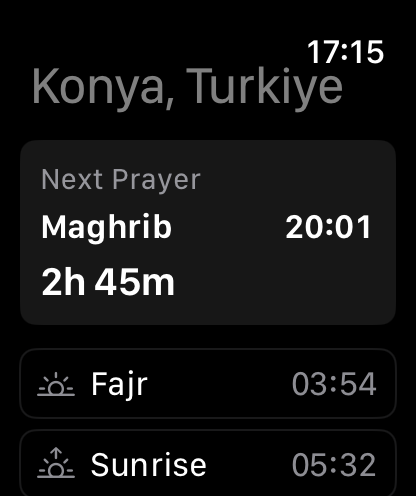
Watch 03
The next prayer card highlights the upcoming prayer, its time, and the remaining duration.
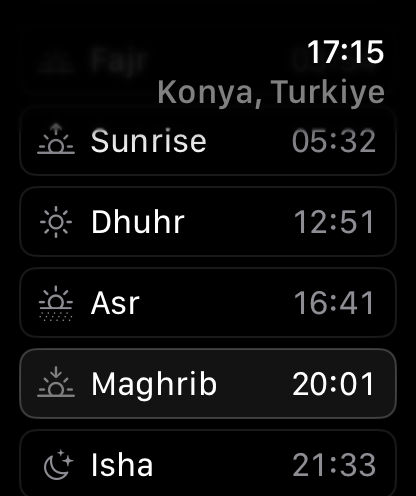
Watch 04
Prayer times are listed in a watch-friendly layout with the active prayer visually emphasized.
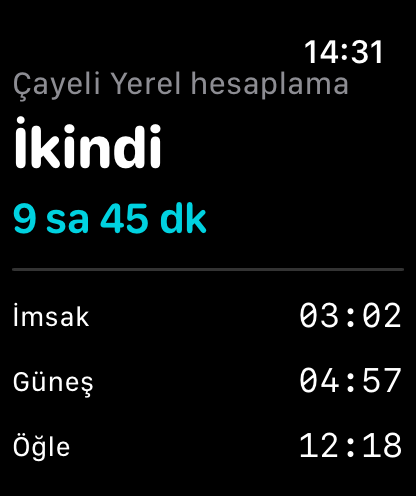
Watch 05
The watch can show locally calculated prayer times with the next prayer countdown at the top.
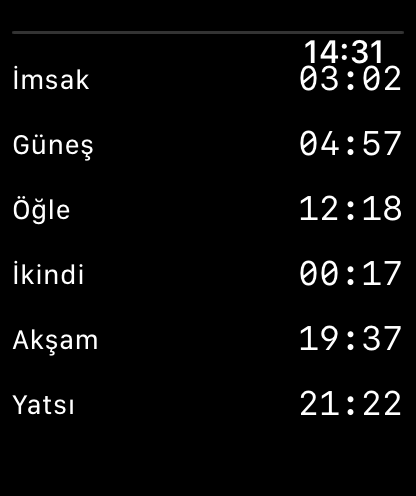
Watch 06
A full schedule view makes it easy to scan all daily prayer times from the wrist.
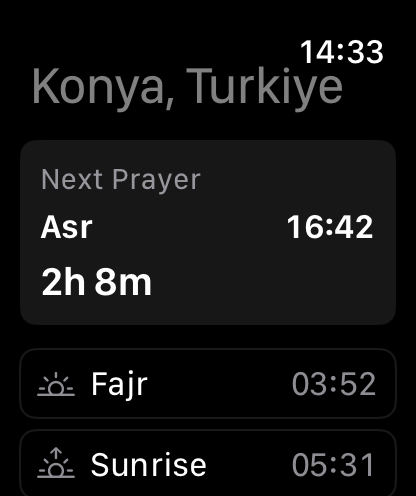
Watch 07
The list style supports clear highlighting for the currently relevant prayer time.
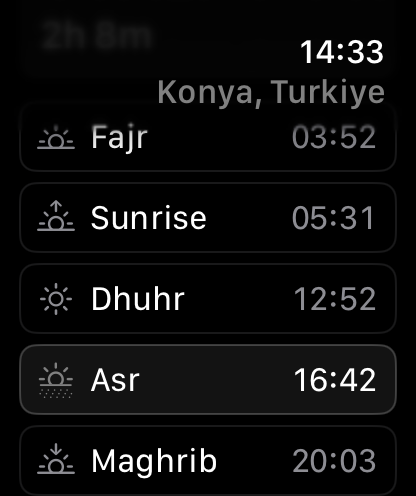
Watch 08
The repeated watch schedule layout keeps prayer time reading consistent and familiar.
Privacy Policy
Last updated: July 23, 2026
azan&salah-location is an app that helps users view prayer times based on their location, receive notifications, set up location-based reminders, and track remaining time through Apple Watch and widgets.
The app may use the following data to function:
The app uses your device location to calculate prayer times based on your current location, to show reminders in your selected silent-mode locations, and to power the “Location Reminders” feature: you can draw circular zones on a map (for example a mosque, market, or school) and the app detects your entry into and exit from these zones — including in the background — to show the reminder you configured.
All zone entry/exit detection is performed on your device. Location data is not linked to user identity. Location data is not used for advertising, tracking, or marketing purposes, and location history is not uploaded to any server.
The Apple Watch app may use motion data — activity type (walking, running, cycling), step count, floors climbed (barometer), and compass heading — to show a live sensor panel on the watch and to enrich reminder notifications (for example, indicating that you arrived on foot). This data is processed on your devices, synchronized only between your own iPhone and Apple Watch, and is never sent to us or to third parties.
When you start phone-free zone tracking on the watch, the app starts a walking workout session (HealthKit) solely because watchOS allows continuous background GPS only during a workout session. The app does not read your health records, and does not collect, store on any server, or share any HealthKit data. The workout session may appear in the system like other workouts and ends when you stop tracking. HealthKit data is never used for advertising or shared with third parties.
Notification settings may be stored on the device to support prayer time alerts, silent-mode reminders, zone entry/exit reminders, and your in-app preferences.
Selected locations, reminder zones, notification times, calculation method, and settings required for widget and Watch sync are stored locally on the device and app group.
In-app subscription transactions are managed by the Apple App Store. Your payment details are not seen or stored by us. Purchase status is only used to verify subscription access.
Online prayer time services may be used to update prayer times. During this process, the coordinates of the selected location may be sent to the relevant service provider. These data are not linked by us to user account, name, email, or payment details.
Data are used only for the following purposes:
azan&salah-location does not track users, does not collect data for advertising purposes, and does not share user data with advertising networks.
App settings, reminder zones, and selected location information are stored locally on the device. When the app is deleted, these data can be removed from the device. Subscription and payment records managed by Apple are stored in Apple’s own systems.
The Apple Watch app and widgets may use settings from the iPhone app to display prayer times, remaining time information, and reminder zones. This synchronization happens only between your own devices and is used only to provide the app experience.
Users can disable location, motion, health, and notification permissions at any time from device settings. In-app settings can be reset, or local data can be removed by deleting the app from the device.
The app does not have a special data collection purpose for children. The app does not include advertising, chat, or user-generated content.
Security mechanisms provided by iOS, watchOS, and the Apple App Store are used to help protect user data. The app does not directly process or store payment information.
This policy may be updated from time to time. Updates become effective when published on this page.